Free UPI QR Code Generator — Create UPI Payment QR for Business, Instantly

A free, secure, browser-based UPI QR code generator built for small businesses, merchants, and freelancers. Enter your Virtual Payment Address (VPA) or UPI ID and your payment details are encoded locally — no financial data is saved or shared. Works with Google Pay (GPay), PhonePe, Paytm, Amazon Pay, BHIM, and all other BHIM UPI apps. No signup required.

Payment Details
Merchant Info
Lock UPI ID & name to prevent accidental changes while entering amounts.
Customization

Enter UPI ID to generate your professional QR code.

Copy & paste in WhatsApp to share
Image copied! Paste it in WhatsApp or anywhere.

How to Create Your UPI QR Code?

Generate a free UPI payment QR code in just 3 simple steps.

1

Enter Your Payment Details

Enter your UPI ID (Virtual Payment Address or VPA — like yourname@upi or yourname@bank), your payee or business name, an optional fixed payment amount, and an optional transaction note or description. All fields are optional except the UPI ID / VPA.

2

Customize Your QR Code

Adjust the QR code size using the slider, upload your business logo to appear in the center of the code, and choose whether to show your UPI ID label below the QR for added clarity.

3

Download or Share

Download your QR code as a high-resolution PNG or SVG file, or copy it directly to your clipboard to paste into WhatsApp or any chat app — no gallery save needed.

Video Tutorial

Watch: How to Create a UPI QR Code

Why Small Businesses Trust Our UPI QR Code Generator

Whether you run a shop, offer freelance services, or sell at a market stall — this free UPI QR code generator helps you get paid faster, without the hassle.

Works With Every UPI App Your Customers Use

Your customers can scan this QR code using any UPI app — Google Pay (GPay), PhonePe, Paytm, Amazon Pay, BHIM, or any other BHIM UPI app. The QR code is generated in the standard NPCI upi://pay? format, so there are no app restrictions, no compatibility issues. If they have a UPI app, they can pay you.

Ready in Seconds — No Tech Skills Needed

Just type in your Virtual Payment Address (VPA) or UPI ID and your QR code appears instantly. No waiting, no complicated steps, no account to create. Perfect for shop owners, freelancers, tutors, and service providers who want a quick, reliable way to start collecting payments right away.

Your Name and UPI ID Are Printed Right on the QR

Every QR code shows your payee name and UPI ID clearly below the code. This helps your customers see exactly who they're paying before they confirm — building trust, reducing wrong transfers, and giving your payment slip a professional look.

Add Your Business Logo to the Center

Upload your shop logo or brand image and it will appear in the center of your QR code. Great for restaurants, salons, boutiques, and any business that wants their QR code to look branded and recognizable — not just a plain black-and-white square.

Your Details Are Remembered for Next Time

Enter your business name, UPI ID, and logo once — and they'll be saved automatically in your browser. The next time you open this UPI QR code generator, everything is already filled in. No retyping, no re-uploading. Just change the amount and download.

Lock Your UPI ID So Nothing Gets Accidentally Changed

When you're processing multiple payments back to back, it's easy to accidentally edit your UPI ID or business name. Use the lock button in the Merchant Info section to freeze those fields. Your UPI ID and name stay exactly as set — only the amount and transaction note can be changed. Unlock anytime to make edits.

Completely Free, Secure & Private — No Login, No Data Saved

This is a browser-based UPI QR code generator — 100% free to use. Your payment details are encoded locally in your browser without saving your financial data to any server. No signup form, no subscription, no watermark on your download. Use it as many times as you need, whenever you need it.

Copy the QR Image and Paste It Straight Into WhatsApp

Hit the copy button next to Export and your QR code is instantly copied as an image to your clipboard. Open WhatsApp, paste it into any chat, and send — no saving to gallery, no switching apps. Perfect for quickly sharing your payment QR with a customer over chat.

Download Once, Use Everywhere

Save your QR code as a high-resolution PNG or SVG file and use it anywhere — print it at your shop counter, laminate it for your counter, share it on WhatsApp, post it on Instagram, or add it to your invoices and visiting cards. One QR code, endless uses.

Ready for Dynamic UPI QR Codes?

Stop wasting time with manual payment entry! Upgrade to Zubizi ERP's advanced UPI QR Code Generator that creates dynamic QR codes with exact invoice amounts automatically. No more errors, no more delays - customers pay the precise amount instantly.
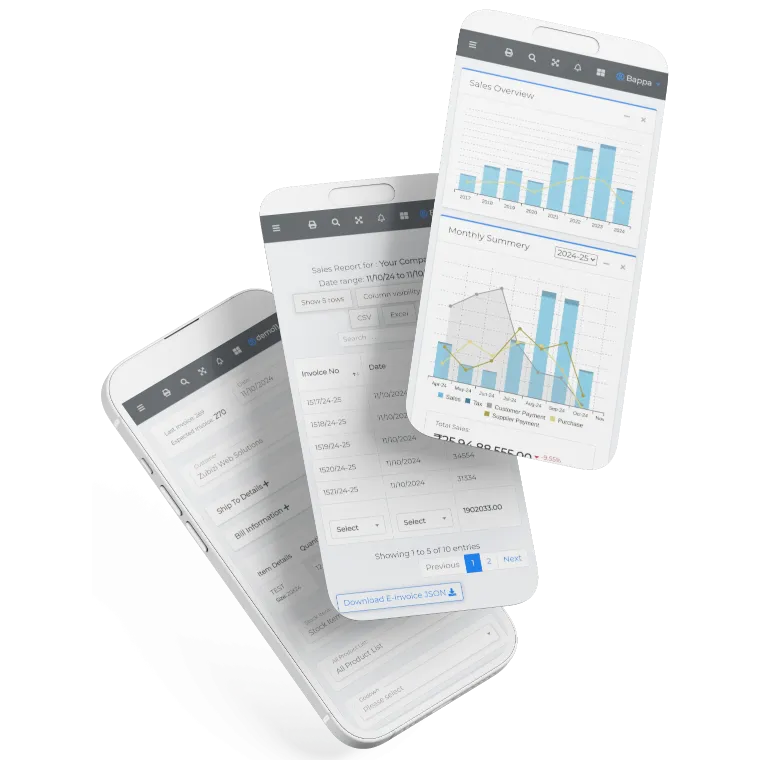
Zubizi Software Interface
Zubizi Logo

Frequently Asked Questions

Common questions about our free UPI QR code generator, Virtual Payment Address (VPA), upi://pay format, and usage.

How does this UPI QR code generator work?

This is a browser-based UPI QR code generator. Enter your UPI ID (Virtual Payment Address or VPA), business name, and optionally a fixed payment amount and transaction note or description. The tool instantly encodes all of this information locally in your browser — your financial data is never sent to any server or saved. The QR code is generated in the standard upi://pay? format, so when a customer scans it with any UPI app, the app reads your VPA, pre-fills your name and the amount, and takes the customer straight to the payment screen — they just confirm and pay.

Can I set a fixed amount in the UPI QR code?

Yes! Enter the amount in the "Amount" field before generating your QR code. When your customer scans it, the payment amount will be automatically filled in their UPI app — they just need to enter their PIN to pay. This prevents wrong amounts, speeds up checkout, and removes the back-and-forth of asking customers to type the correct number.

Which UPI apps can scan this QR code?

Any UPI-enabled app can scan it — including Google Pay (GPay), PhonePe, Paytm, Amazon Pay, BHIM, and all other BHIM UPI apps, as well as your bank's own UPI app. The QR code follows the official NPCI UPI standard (upi://pay? format), so it works across all apps without any compatibility issues.

Is it safe to share my UPI QR code publicly?

Yes, it is safe. A UPI QR code only contains your UPI ID, name, and optionally a fixed amount and note. It lets people send money to you — it cannot be used to withdraw money from your account or access your bank details. You can safely print it at your shop, share it on WhatsApp, or post it on social media.

Can a customer pay a different amount than what's in the QR code?

If you set a fixed amount, most UPI apps will pre-fill it and may lock the field — but this depends on the app. If you leave the amount blank, the customer can enter any amount they want. For fixed-price situations like a subscription or a specific invoice, always set the amount. For general collections, leave it blank.

Does my UPI QR code expire?

No. The QR codes generated here don't expire. Your QR code will keep working as long as your UPI ID is active. You can print it once, stick it at your counter, and use it for months or years. Just generate a new one if your UPI ID ever changes.

Will my shop name and logo show up when someone scans the QR?

Your payee name (business name) is embedded inside the QR code, so UPI apps will show it on the payment confirmation screen before the customer pays. The logo you upload appears in the center of the QR image for visual branding — it's part of the downloaded image, not the scan data itself.

Do I have to enter my UPI ID every time I visit?

No. Your UPI ID, business name, and logo are automatically saved in your browser. The next time you open this page, everything is already filled in — you only need to change the amount or note for each new transaction.

How do I use this QR code at my shop or on printed materials?

Generate your QR code, then click "Export as PNG" to download a high-resolution PNG file. You can print it on paper, laminate it for your counter, add it to your invoice template, or share it on WhatsApp and Instagram. For vector-based print jobs, use the SVG export. For the best quality on all screen and print sizes, use the high-resolution PNG at its full size.

Is this UPI QR code generator really free?

Yes, 100% free — no account, no subscription, no watermark. This is a browser-based tool: your payment details are encoded locally in your browser and are never sent to any server or saved. No financial data leaves your device. You can generate as many QR codes as you need, anytime.

What is a Virtual Payment Address (VPA)? Is it the same as a UPI ID?

Yes — a Virtual Payment Address (VPA) and a UPI ID are exactly the same thing. VPA is the technical term used by NPCI and the UPI standard, while UPI ID is the more common name used in apps like Google Pay and PhonePe. A VPA looks like yourname@upi, yourname@okaxis, yourname@ybl, or yourname@bank. Just enter your VPA or UPI ID in the UPI ID field to generate your QR code.

What is the format of a UPI QR code? What does upi://pay mean?

A UPI QR code encodes a standard payment URI in the format: upi://pay?pa=yourVPA&pn=YourName&am=Amount&tn=Note&cu=INR. Here, pa is your Virtual Payment Address (VPA), pn is the payee name, am is the optional fixed amount, tn is the optional transaction note or description, and cu is the currency (always INR for India). When a UPI app scans this QR code, it reads the URI and pre-fills the payment form automatically. This tool generates codes in this exact NPCI-standard format, ensuring compatibility with all UPI apps.

What is the difference between a static and dynamic UPI QR code?

A static UPI QR code encodes a fixed Virtual Payment Address (VPA) and an optional fixed amount — it doesn't change. It's perfect for shop counters, visiting cards, and printed materials where the same QR is used for all payments. A dynamic UPI QR code is generated fresh for each transaction with a specific amount and reference, usually by a payment gateway or ERP system — ideal for invoice-specific payments. The QR codes generated here are static codes. If you need dynamic QR codes that auto-fill exact invoice amounts, Zubizi ERP supports that as a built-in feature.