Merge PDF Files Online — Free & Instant

Juggling multiple PDFs wastes time and makes sharing a mess. Scattered documents get lost, versions conflict, and sharing six files instead of one is embarrassing. Use our free PDF merger to combine all your files into one clean document in seconds — no signup, no watermark, no upload to any server.

Merge PDF Files

Combine multiple PDFs into a single document. Upload your files, drag to reorder, and click merge.

Select PDF files

or drop PDFs here

How to Merge PDF Files Online?

Follow these three simple steps to combine multiple PDFs into one document in seconds. No software installation needed.

1

Upload Your PDF Files

Click the upload area or drag and drop the PDF files you want to merge. You can add as many files as you need — there is no file count limit.

2

Arrange the Page Order

Drag the file cards up or down to set the exact sequence. Your merged PDF will follow this order precisely — perfect for reports, contracts, and multi-chapter documents.

3

Merge PDF & Download Instantly

Hit the Merge PDF button. Your combined file is generated instantly inside your browser and downloads automatically — no waiting, no server processing delay.

Why Use Our Free PDF Merger to Merge PDF Files?

Our merge PDF tool is built for speed, privacy, and zero friction. No account. No ads. No limits. No server uploads. Just fast, reliable PDF merging right in your browser — free forever.

100% Private — Your Files Never Leave Your Device

When you merge PDF files with our tool, everything happens inside your web browser. We never upload your files to any server, cloud, or third-party service. Your confidential contracts, bank statements, legal records, and personal documents stay completely on your device. This is the safest way to combine PDF files online — zero data exposure, zero risk. No other merge PDF tool can match this level of privacy without requiring a paid plan.

Merge PDF Files Instantly — Zero Waiting Time

Because our PDF merger processes files locally on your device, there are no server round-trips, no upload queues, and no processing delays. You can combine multiple PDF files into one document in a fraction of a second. Whether you are joining two short forms or twenty large reports, the result is instant. Stop waiting for slow cloud tools and get your merged PDF the moment you click the button.

Combine Unlimited PDF Files — Completely Free

Unlike other tools that cap you at two files per day or force you onto a paid plan, our merge PDF tool has no quotas, no paywalls, and no hidden fees — ever. Merge PDF documents as often as you need, for personal use or business use. 100% free, forever. No credit card. No trial period. No premium tier needed to remove watermarks. Just merge and download.

Drag-and-Drop Reordering — Full Control Over Page Order

Before you merge, arrange your PDF files in exactly the right sequence. Simply drag the file cards to set the order. Your final merged document will follow that sequence precisely. This gives you full control — ideal for assembling multi-section reports, legal bundles, invoice sets, presentations, or any document where getting the page order right is critical.

No Signup, No Watermark, No Installation Required

Open the page and start merging PDF files immediately. There is no account to create, no email to verify, no app to install, and no watermark added to your output file. Our free PDF merger respects your time. You get a clean, professional merged PDF — identical to your originals, with zero modifications, zero branding, and zero friction.

Works on Any Device — Mobile, Tablet & Desktop

Need to merge PDF files on your Android phone or iPhone? No problem. Our PDF merger is fully responsive and works on all modern browsers — Chrome, Safari, Firefox, and Edge — across iOS, Android, Windows, and macOS. The experience is smooth and consistent whether you are on a 5-inch screen or a 27-inch monitor. Combine PDFs from anywhere, any time.

Need More Than a PDF Merger?

Our free merge PDF tool is just the start. If your business needs complete invoicing, billing, inventory, and document management in one place, explore Zubizi — the all-in-one ERP built for growing Indian businesses.
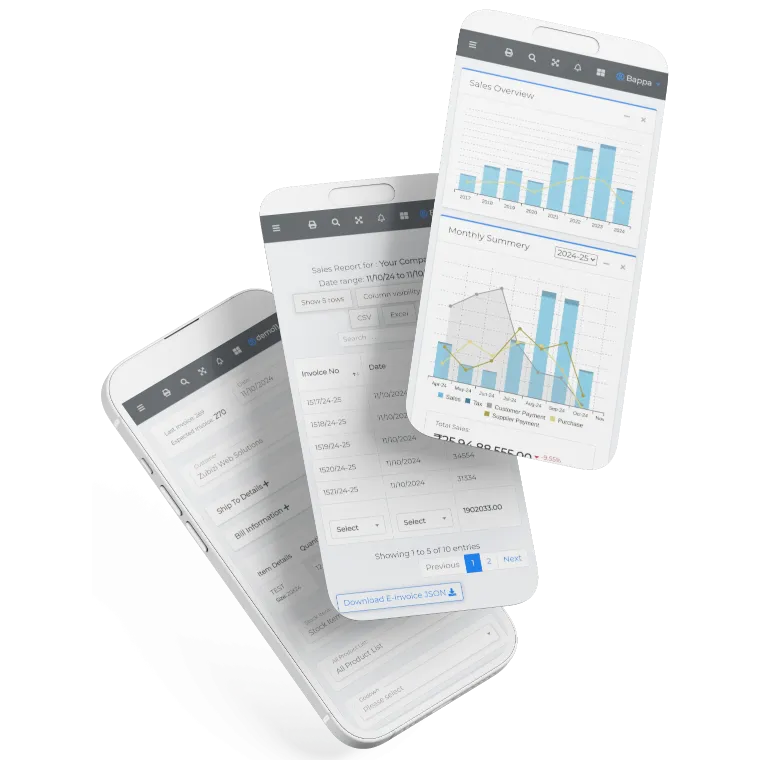
Zubizi Software Interface
Zubizi Logo

Frequently Asked Questions About Merging PDF Files

Common questions about how to merge PDF files using our free online PDF merger.

How do I merge PDF files online for free?

Using our tool is simple. Upload the PDF files you want to combine, drag to arrange their order, and click the Merge PDF button. Your combined document downloads instantly — no signup, no payment, no watermark. Everything runs directly in your browser, so no software installation is needed.

How do I merge two PDF files into one?

Drag and drop both PDF files into our tool. Arrange them in the order you want, then click Merge PDF. You get a single PDF containing both documents stitched together perfectly. The whole process takes less than five seconds. You can also merge more than two files the same way — just add all the PDFs you need.

How do I combine multiple PDF files into one document?

Click the upload area and select all the PDF files you want to join. Drag the file thumbnails to set the correct sequence. Then click Merge PDF. All your files are combined into one clean PDF document instantly — downloaded straight to your device. There is no file count limit, so you can merge as many PDFs as you need in one go.

Is it safe to merge PDF files online?

Yes — our tool is one of the safest ways to merge PDF files online. Unlike most online services that upload your files to a remote server, our PDF merger processes everything locally inside your browser. Your files never leave your device. This makes it completely safe for sensitive documents like contracts, bank statements, tax filings, and legal records. No employee of Zubizi or any third party ever sees your content.

Is this PDF merger really free with no watermark?

Yes, 100% free — no hidden charges, no subscriptions, and no watermarks added to your merged PDF. You can use our merge PDF tool as many times as you need, for personal or commercial work, completely free. Unlike tools that add watermarks unless you upgrade, we never modify your output file in any way.

How many PDF files can I merge at once?

There is no fixed limit. You can merge as many PDF files as your device's memory allows. Whether you are combining two short pages or dozens of large reports, our tool handles it without restricting your workflow. There are no daily quotas, file count caps, or size restrictions. You get unlimited merging for free.

Will merging PDF files reduce their quality or change the formatting?

No. Our merge PDF tool preserves the original quality of every file. Text, images, fonts, vector graphics, and layouts remain exactly as they are in your source documents. We simply stitch the pages together — no compression, no re-rendering, no quality loss. Your merged PDF will look exactly like your originals.

Can I merge PDF files on my phone or tablet?

Yes. Our PDF merger is fully mobile-responsive. You can merge PDF files on Android or iOS devices using any modern browser — Chrome, Safari, Firefox, or Edge. The experience is smooth and fast on smaller screens, so you can combine documents on the go without installing any app.

How do I merge PDF files without losing quality?

Our tool merges PDF files without re-encoding or recompressing the content. Pages are extracted and joined at the raw PDF level, so there is no quality degradation at all. Fonts, images, embedded graphics, and page dimensions are all preserved exactly as they appear in the original files.

Can I reorder pages when merging PDFs?

Yes. Before clicking Merge PDF, you can drag the file cards to rearrange the order of your files. The pages of each file will appear in the merged document in the sequence you set. This gives you full control over the final page order in your combined PDF.

Why is my PDF failing to merge?

The most common reasons a PDF fails to merge are: the file is password-protected, the file is corrupted, or the browser memory is too low for very large files. Try opening each PDF individually first to confirm it is readable. If it is password-protected, remove the password before merging. For very large files, try merging in smaller batches.

Do I need to install any software to merge PDF files?

No. Our merge PDF tool is 100% browser-based. You do not need to install Adobe Acrobat, any desktop software, or a mobile app. Just open the page in any modern browser — Chrome, Safari, Firefox, or Edge — and start merging immediately.