
Free Cheque Printing Software Online — Free Cheque Writer
Writing cheques by hand is slow, messy, and leads to costly mistakes. A single error in the payee name, date, or amount can cause a cheque to bounce at the bank. Use our free cheque printing software to fill in every detail digitally and print a perfectly formatted, professional bank cheque in seconds. No cheque writing software download needed - it works right in your browser.
How to Print a Cheque Online?
Follow these simple steps to use our cheque printing software and get a print-ready cheque in seconds.
Select Your Bank Cheque Template
Choose from pre-loaded cheque templates that match standard Indian bank cheque formats. The layout automatically adjusts fields like payee line, amount box, and date position to fit your bank's cheque leaf dimensions. This ensures perfect alignment every time you print.
Enter Payee Name and Details
Type the full name of the person, business, or organisation you are paying. Double-check the spelling to avoid bank rejection. You can also mark the cheque as 'Account Payee Only' for added security, ensuring it can only be deposited into the named account.
Enter the Amount
Type the payment amount in numbers. Our system automatically converts the figure into words using standard Indian numbering format (lakhs and crores). This eliminates manual conversion errors, one of the most common reasons cheques get dishonored at banks.
Pick the Date and Print
Select the cheque date. You can set today's date or choose a future date for post-dated cheque payments. Then hit Print. Your browser's print dialog opens with a perfectly formatted cheque, ready for any laser or inkjet printer. Just load your cheque leaf and print.
Why Use Zubizi's Free Cheque Printing Software?
Stop writing cheques by hand. Our cheque printing software is the fastest, most accurate way to print professional bank cheques online. Free forever, no downloads, no signup, and no hidden charges.
100% Free — No License Fee, No Download, No Signup
This online cheque writer is completely free with no limits, no trial period, and no license fee. Most alternatives in India — like ChequeGuru, Chrysanth, or ChequePro — charge a one-time fee of ₹1,500 to ₹5,000 or an annual subscription. Zubizi's tool has zero cost. Open the page, enter your cheque details, and print as many cheques as you need.
Automatic Amount-to-Words Conversion (Tamper-Proof)
Writing amounts in words is one of the most error-prone parts of cheque writing, and a wrong word can get your cheque rejected by the bank. This cheque writer converts any number into words instantly using the standard Indian numbering system (lakhs and crores). It also automatically adds asterisk padding before and after the amount in words — a tamper-proofing technique mandated by RBI to prevent unauthorized alteration. Whether it is a payment of ₹5,000 or ₹1,50,00,000, the conversion is automatic, accurate, and tamper-proof.
Print-Ready Layout: CTS-2010 Compliant for All Indian Banks
Every cheque printed by this software is aligned to the CTS-2010 (Cheque Truncation System) standards mandated by the Reserve Bank of India. The payee name, amount in figures, amount in words, and date all fall precisely within the designated zones on the cheque leaf — ensuring the bank's high-speed scanner reads it without errors. This eliminates clearing delays caused by misaligned printing. The layout is optimized for laser printers, inkjet printers, and deskjet printers. No manual margin adjustment needed.
Supports HDFC, SBI, ICICI, Axis, PNB & All Major Indian Banks
This tool includes pre-configured templates for all major Indian banks: HDFC Bank, State Bank of India (SBI), ICICI Bank, Axis Bank, Punjab National Bank (PNB), Bank of Baroda, Canara Bank, Kotak Mahindra Bank, Bank of India, Union Bank of India, and many more. Each template is calibrated to match that bank's cheque leaf dimensions and field positions. If your bank is not in the list, use the custom template editor to set it up in minutes.
Your Financial Data Stays 100% Private — Never Uploaded
All data you enter — including the payee name, amount, date, and bank account details — is processed directly in your browser using client-side code. Nothing is sent to any external server. Your sensitive financial information never leaves your device. Unlike cloud-based tools (including many paid competitors) that upload your cheque data to their servers, our system keeps everything completely local. This is especially critical for businesses handling confidential vendor payments, salary cheques, or large financial transactions.
Fully Customizable Cheque Templates with Drag-and-Drop Editor
Every Indian bank has a different cheque leaf layout. The built-in template editor lets you upload your bank's cheque image as the background and drag each field — payee name, amount in words, amount in figures, date, and A/C Payee marking — to the exact correct position. Adjust font size, date letter spacing, and field width. Save the template once, and every future cheque for that bank account will print perfectly without any manual adjustments. Create and save multiple templates for different bank accounts.
Works on Any Device — No Installation Required
Unlike traditional desktop cheque printing software that requires a Windows installation and is locked to one machine, this tool runs entirely in your web browser. Use it on your office desktop, home laptop, or even a tablet. It works on Google Chrome, Microsoft Edge, Firefox, and Safari across Windows, macOS, Linux, Android, and iOS. No browser extension or plugin needed.
Need More Than Just Cheque Printing?
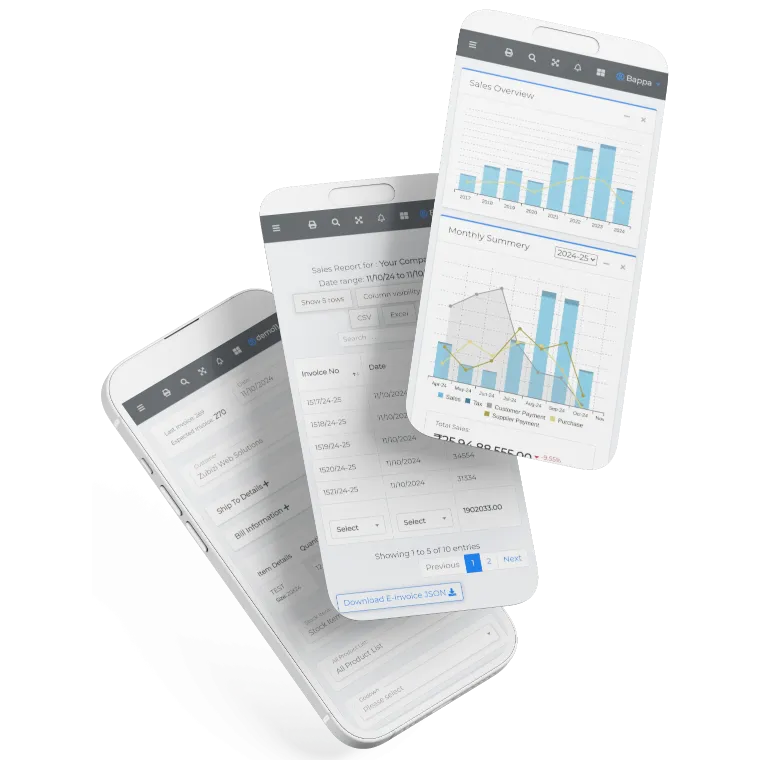
Zubizi is a complete ERP software built for Indian businesses. Print cheques directly while making worker payments or supplier payments. Track purchases, manage ledgers, handle invoicing, monitor inventory, and run your entire business from one place. Cheque printing is just one part of the full picture.

Frequently Asked Questions
Common questions about cheque printing software, cheque writing, CTS-2010 compliance, and how to print cheques online.