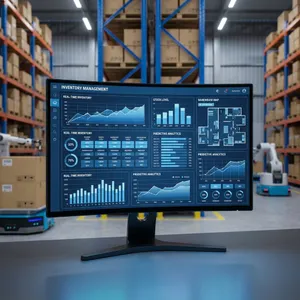
Best Multi Warehouse Inventory Management System in 2026
Manage stock across multiple warehouses without the chaos. Zubizi's multi warehouse inventory management keeps your SMB in full control - automatically.


Running stock across two warehouses is hard. Running it across three or four? That’s where businesses start losing money quietly every single day.
Missing stock that nobody can account for. A godown manager and a billing staff who never agree on numbers. Products sold that you didn’t actually have. Purchase entries that nobody reconciled. Sound familiar?
This is the everyday reality for thousands of Indian SMBs trying to manage inventory across multiple locations without the right tools. And the worst part? Most of them don’t even realize how much it’s costing them until a customer complaint or an audit forces the issue.
We built Zubizi’s multi warehouse inventory management system specifically for this problem. Not for large enterprises with full IT teams. For real businesses - boutiques with godowns, garment wholesalers managing multiple branches, retailers with back storage and shop floors.
In this post, I want to share what makes our warehouse management approach different. Not by listing features, but by showing you what problems each part actually solves for your business.
1. Your Stock Updates Itself - No More Manual Counting After Every Sale
The single biggest waste of time in inventory management is manually updating stock after every purchase and sale.
A typical day for a business without proper warehouse management software looks like this: A sale happens. Someone makes a note. At the end of the day, someone else tries to update the stock register. Numbers don’t match. Blame shifts around. You’re not sure if 3 pieces disappeared or were just not recorded.
With Zubizi, this entire problem disappears.
When you enter a purchase, the items hit your warehouse inventory automatically. When you process a sale, those items leave the inventory automatically. You don’t touch the stock count manually at any point during normal operations.
This automatic tracking is the foundation of everything else. Because when your numbers are always accurate, every other business decision gets easier. You know what you have. You know what you’ve sold. You know what to reorder.
For SMBs managing inventory across multiple warehouses, this alone saves hours every week and eliminates an entire category of human error.
2. Zero Stock Means Zero Sales - Zubizi Enforces This Automatically
This is one of my favourite things about how we built the system. And it’s strict. Intentionally strict.
If you don’t have it in your warehouse inventory, you cannot sell it. Full stop.
Most businesses have sold items they didn’t actually have at some point. Either because the stock count was wrong, or because the billing person didn’t check, or because the system allowed it. This creates embarrassing situations with customers and messy adjustment accounting afterward.
Our inventory management system blocks the sale at the point of billing. It’s not a warning. It’s a hard stop. Your staff cannot process a sale for a product that has zero stock in the warehouse.
This does two things for your business:
- It forces accuracy upstream. People start entering purchases correctly because they know the system relies on it.
- It protects your customer relationships. You never promise what you can’t deliver.
Yes, this might feel restrictive at first. But businesses that have switched to this model tell us they wish they had this discipline earlier. The short-term inconvenience of having to enter a purchase before selling is worth the long-term accuracy it creates.
3. Move Stock Across Warehouses Without Losing a Single Unit - With Three Levels of Control
Here’s where multi warehouse inventory management gets interesting - and where most smaller software products fail completely.
Moving stock from one location to another is a normal business activity. But without a proper warehouse management system, every transfer is a risk. Did the stock actually arrive? Did the sending location reduce their count? Did the receiving location increase theirs? Who knows.
Zubizi has a dedicated warehouse transfer system built right into the workflow. When you enter a purchase, you select which warehouse receives the stock initially. From that point, you can transfer items to other warehouses as needed.
But here’s what makes Zubizi genuinely different: you choose how strictly those transfers are enforced. Different businesses have different levels of trust, staff sizes, and risk exposure. We built three transfer modes to match that reality.
Mode 1: Completely Loose Transfer
Stock leaves Warehouse A and immediately shows up in Warehouse B. Simple and fast.
This works great for businesses where the owner or a trusted manager handles transfers personally. There’s no friction, no waiting, no confirmation step. The trade-off is that if something goes missing in transit, the system won’t flag it automatically - you rely on trust and spot checks.
Small operations with tight oversight and minimal transit risk are the best fit for this mode.
Mode 2: Moderate Enforcement - Barcode-Based Receiving
With this mode, stock leaves Warehouse A but does not automatically appear in Warehouse B.
At the receiving warehouse, staff have to physically scan the incoming items via barcode to confirm receipt. Only the items that get scanned are added to that warehouse’s inventory. Anything not scanned simply shows as zero stock at the destination.
This is incredibly useful for catching genuine transit discrepancies. If 50 pieces were sent but only 47 arrived, the receiving warehouse’s count will reflect 47 - and the 3 missing pieces are now visible and accountable. Nobody can quietly absorb shortfalls or round off numbers.
Most businesses with more than one staff member handling transfers benefit from this mode.
Mode 3: Strict Enforcement - All-or-Nothing Transfer
This is the most powerful mode, and the one that stops transit theft cold.
Here’s how it works. Suppose you transfer 3 items with 3 units each - a total of 9 units - from Warehouse A to Warehouse B. On the receiving end, if all 9 units are not scanned and confirmed, the receiving warehouse cannot save the transfer receipt. The entire transfer stays on hold - marked as “in transit” - until every single unit from the original transfer is accounted for.
This creates a situation where the receiving party must explain what happened to any missing units before they can close out the transfer. It can’t be ignored, it can’t be rounded off, and it can’t be silently absorbed. Someone has to answer for what happened between dispatch and receipt.
For businesses that have experienced stock shrinkage during transfers - or suspect they have - this mode removes the grey area entirely. Every unit is either received or explained.
This flexibility is something most inventory management software doesn’t offer at all. Usually it’s one approach for everyone. Zubizi lets you set the policy that fits your business’s trust model, staff structure, and risk tolerance - and you can change it as your business evolves.
Whether you’re managing two godowns in the same city or multiple branches across different locations, the inventory stays honest at whatever enforcement level you choose.
4. Handle Damaged, Stolen, or Lost Stock with Custom Adjustment Reasons
Even the best warehouse management can’t prevent everything. Products get damaged during transit. Pieces go missing during a busy season. A quality check fails and items need to be written off.
Most inventory systems treat this as a problem. Our system treats it as a normal business reality that needs proper handling.
Zubizi has a full inventory adjustment module where you can increase or decrease stock quantities for any reason. And the reason itself? You define it.
Want to mark reasons like “monsoon damage,” “theft,” “quality reject,” or “vendor return”? You can set up whatever adjustment reasons make sense for your business. These are dynamic and customizable - not fixed labels that don’t match your real-world situations.
What this gives you:
- A clean audit trail. Every adjustment has a documented reason, a timestamp, and a user attached to it.
- Better business intelligence. When you can see that Rs. 40,000 worth of stock was written off as “rain damage” across two monsoon seasons, you start thinking about storage improvements.
- Accountability without blame. When adjustments are documented properly, your team stops pointing fingers and starts solving problems.
This is the kind of feature that separates a real warehouse management system from a basic stock tracker.
5. Run Your Entire Warehouse on Barcodes - Print Your Own or Use What’s Already There
This is the feature I get most excited talking about. Because it’s genuinely useful and more flexible than most business owners expect.
Zubizi supports two different approaches to barcode-based warehouse management:
Option 1: Generate and Print Your Own Barcodes
During purchase entry, you can instruct Zubizi to generate a unique barcode for each product. You then print barcode sticker labels through any compatible barcode printer software, stick them on the products, and from that moment on - that item can be tracked through everything.
Sales? Scan the barcode. Transfer to another warehouse? Scan the barcode. Goods return? Scan. Purchase return? Scan. Every touchpoint in the product’s journey is handled by the barcode.
This is incredibly powerful for businesses selling unbranded or private-label products that don’t come with manufacturer barcodes.
Option 2: Scan Existing Barcodes from Products
Already have products with manufacturer barcodes printed on them? No problem. During purchase entry, you scan the existing barcode on the product and map it to that item in Zubizi.
From that point, the existing barcode works exactly like a system-generated one. Every movement, every sale, every transfer gets tracked through that barcode.
The result of either approach: Your staff doesn’t need to remember product names or codes. They pick up a scanner, scan the item, and the system handles the rest. Faster billing. Fewer mistakes. Accurate inventory movement automatically.
For SMBs managing multi warehouse inventory, barcode-based warehouse management reduces the errors that happen when staff manually type product codes - which is most of the errors, honestly.
6. See Every Item’s Complete Journey Across Your Warehouses
Accountability in warehouse management isn’t just about knowing current stock levels. It’s about knowing how you got there.
Zubizi has a full warehouse tracking history system that shows exactly where every item has been, from the moment it entered your inventory.
For any item, you can see:
- When it was purchased and which warehouse it entered
- Every transfer it underwent - from which warehouse, to which warehouse, on what date, by which staff member
- When it was sold, returned, or adjusted
This is not just a nice-to-have feature. It solves specific business problems:
Dispute resolution - A customer claims the product was defective. You can see exactly when and where that item moved before reaching them.
Staff accountability - A transfer shows exactly which staff member initiated it. This creates natural accountability without installing cameras or running daily spot checks.
Shrinkage analysis - When stock goes missing, the tracking history helps you identify at which stage in the warehouse journey the discrepancy occurred.
Compliance readiness - If you ever face an audit or need to explain stock movements for GST reconciliation, the history is right there.
This kind of granular tracking is normally only available in expensive enterprise warehouse management software. We’ve built it into Zubizi so that a boutique with two godowns gets the same visibility as a large retailer.
7. Real-Time Stock Reports That Actually Help You Make Decisions
Data is only useful when it’s presented in a way that helps you act on it.
Zubizi has built robust reporting for multi warehouse inventory management that goes well beyond a basic stock count list.
Stock movement reports show you what’s moving, how fast it’s moving, and where it’s moving within your warehouse network. This helps you identify which warehouse is understocked and which is holding too much.
Stock out reports with charts give you visual clarity on what ran out, when it ran out, and how much you lost in potential sales because of it. These aren’t just numbers - they’re presented visually so you can spot patterns quickly.
You can see:
- Which products sold the most quantities and from which warehouse
- Where transfers happened and how often
- Which items were adjusted and for what reasons
- Stock valuation across all your warehouses in one view
For an SMB owner who’s used to gut-feel decisions, these reports are a genuine game changer. You stop reordering what you think is running out and start reordering what the data says is actually running out.
8. Enterprise-Grade Warehouse Management at an SMB-Friendly Price
Here’s the thing about multi warehouse inventory management systems in India: most of the good ones are built for large enterprises. They come with implementation costs in lakhs, complex training requirements, and ongoing support that smaller businesses can’t afford or manage.
At the other end, the cheap or free options are too basic. They track simple stock but fall apart the moment you add a second warehouse or try to handle barcode-based tracking.
Zubizi sits exactly in the middle - and that’s by design.
We built a system that has the depth and accuracy that enterprise businesses need, but packaged and priced so that an Indian SMB can actually use it without a dedicated IT team or a full-time software administrator.
Everything you just read about - automatic inventory updates, oversell prevention, multi-location transfers, barcode integration, adjustment tracking, warehouse history, and real-time reports - all of this is available to a small business owner who runs their operation with 5 or 10 people.
You don’t need to be a 200-crore company to have professional inventory management. You just need the right software.
Who Gets the Most Value from Zubizi’s Multi Warehouse Inventory Management
Let me be direct about who benefits most from this system:
Garment wholesalers and retailers running stock across a shop and one or more godowns. If you’re moving stock between your billing counter and your storage regularly, this system gives you total visibility.
Boutiques and fashion retailers who deal with multiple variants per product and need to track every piece accurately across their storage locations.
Growing businesses who’ve outgrown Excel or a basic billing software and are starting to lose control of stock accuracy as they add locations.
Business owners tired of “adjustment entries” - if the end of every month requires you to manually reconcile stock because nothing matches, our system eliminates that problem entirely.
Anyone who’s ever oversold or promised a customer something that wasn’t in stock. The hard inventory enforcement makes that impossible.
The Bottom Line
Most inventory software either tracks stock too simply to be useful, or it’s so complex that your staff gives up using it correctly within a month.
Zubizi threads that needle. It’s simple enough that your billing staff can use it without training for weeks. It’s accurate enough that your stock numbers become genuinely trustworthy. And it’s deep enough that you can manage multiple warehouses, run barcode operations, and pull reports that drive real business decisions.
If you’ve been managing multi warehouse inventory on spreadsheets, manual registers, or basic billing software that doesn’t quite handle multiple locations - this is the system we built for you.
Explore our inventory management software or check out how our barcode integration works in detail.
When you’re ready to see it in action, contact us for a demo. No pushy sales calls. Just a walkthrough of the system and an honest conversation about whether it fits your business.
Your stock should be under your control. We’ll help you get there.