Free Product Price Calculator
Use this product price calculator to find the optimal selling price for your products. Whether you want to calculate product price for retail shops, Amazon, Flipkart, Meesho, Shopify, or WooCommerce, this tool is perfect for you. Enter your costs, choose your pricing strategy, and instantly see your profit margin, markup percentage, and revenue potential.
Calculate price to achieve 30% profit margin.
For online selling: Amazon (~15%), Flipkart (~15%), Meesho (0%), Razorpay (2%), Shopify (2.9%)
Fees are calculated on the selling price (not cost)
Profit / Unit
₹42.86
Margin
30.00%
Markup
42.86%
With Tax (0%)
₹142.86
How to use Product Price Calculator?
Follow these simple steps to use our product price calculator and find the perfect selling price for your products, ensuring maximum profitability.
Enter Your Costs
Start by entering the base cost of your product. You can also expand 'Additional Costs' to include shipping, packaging, labor, and duties.
Choose Pricing Strategy
Select how you want to price: by Markup % (add a percentage to cost), Margin % (target a profit margin), or set a specific Target Price.
Review Your Results
Instantly see your recommended selling price, profit per unit, margin, and markup. The visual breakdown helps you understand your price composition.
Explore Advanced Tools
Optionally, compare against competitors, set bulk pricing tiers, project monthly volume profits, or save scenarios for later.
Essential Features of Product Price Calculator
Our product price calculator comes packed with everything you need to set profitable prices for your products.
100% Free Forever
No hidden fees, no sign-ups, no credit card required. This product price calculator is completely free to use, forever. Use it as many times as you need without any limitations. We believe every business owner deserves access to professional pricing tools without paying a premium.
Real-Time Product Price Calculator
See your selling price, profit, margin, and markup update instantly as you type. There is no need to click a Calculate button because this product price calculator gives you real-time results. Every change you make is reflected immediately, making it easy to experiment with different pricing scenarios.
Multiple Pricing Strategies
Choose how you want to price your products: by Markup Percentage, Profit Margin Percentage, or set a specific Target Price. The product price calculator adapts to your preferred pricing method, whether you are a retailer marking up costs or a manufacturer working backwards from a target price point.
Comprehensive Cost Breakdown
Our product price calculator lets you include all your costs including base product cost, shipping, packaging, labor, duties, storage, and advertising. Get accurate profit calculations by accounting for every expense. No more guessing or forgetting hidden costs that eat into your margins.
Visual Price Composition
Understand your price at a glance with an interactive doughnut chart that shows exactly how much of your selling price goes to costs vs. profit. This visual breakdown helps you communicate pricing decisions to stakeholders and identify areas where you can reduce costs to improve margins.
Competitor Comparison
Add competitor prices and instantly see how your calculated price compares to the market. Know if you are priced higher or lower and by how much percentage. This helps you position your products strategically and make informed pricing decisions based on real competitive data.
Save and Export from Product Price Calculator
Save different pricing scenarios for later reference, or export your calculations as a CSV file for spreadsheets. Perfect for record-keeping, sharing with team members, and documenting your pricing strategy over time.
Need More Than Just Pricing?
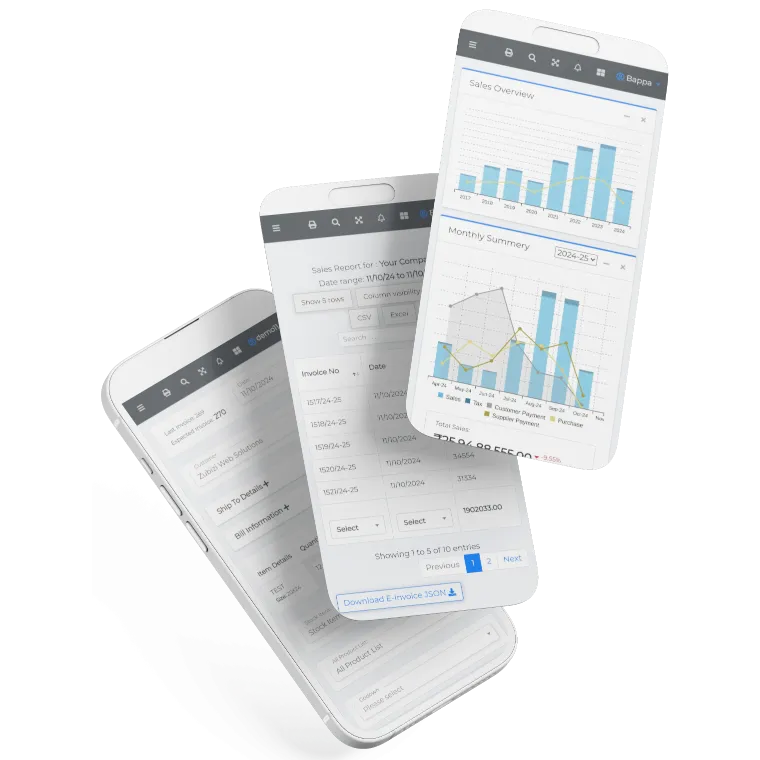
Our product price calculator is just the beginning. Zubizi ERP helps you manage inventory, track sales, generate invoices, and automate your entire business workflow. Take control of your operations with one powerful platform.
What Our Clients Say
Trusted by businesses across India for over a decade.
We are associated with Zubizi QR code software since one year. And its a very good experience with the software for maintaining our inventory. Their service support is also good. Thank u Zubizi.
Best accounting software with lots of good n simple way to make our accounts easier n better.
If you want super simple interface and outstanding customer service then go for Zubizi Web Solutions.
If you are very busy, want to make your work easy, it's time for Zubizi.
Entire Team of Zubizi web solutions is very supportive. We are availing their services since last 10 years and are very satisfied with the overall support provided to us. Quick Solution is provided to all our problems.Its an amazing experience to work with Zubizi and A special thanks to Bappa Da...
We are associated with Zubizi QR code software since one year. And its a very good experience with the software for maintaining our inventory. Their service support is also good. Thank u Zubizi.
Best accounting software with lots of good n simple way to make our accounts easier n better.
If you want super simple interface and outstanding customer service then go for Zubizi Web Solutions.
If you are very busy, want to make your work easy, it's time for Zubizi.
Entire Team of Zubizi web solutions is very supportive. We are availing their services since last 10 years and are very satisfied with the overall support provided to us. Quick Solution is provided to all our problems.Its an amazing experience to work with Zubizi and A special thanks to Bappa Da...
I use this. It's a very Helpful and simple. So easy its use. Thank you. Saif da and Pritam da For support.
Pros: Very user friendly, Amazing interface, Quick response to queries, Arguably the best customer service, Modifications as per customer's requirements, Best software for all accounting needs, Cons: Can't think of any!
This app is impressive and so easy for everyone to use.
Great customer support, good behaviour from employees, easy 2 use software
Easy to accounting, excellent customer service.
I use this. It's a very Helpful and simple. So easy its use. Thank you. Saif da and Pritam da For support.
Pros: Very user friendly, Amazing interface, Quick response to queries, Arguably the best customer service, Modifications as per customer's requirements, Best software for all accounting needs, Cons: Can't think of any!
This app is impressive and so easy for everyone to use.
Great customer support, good behaviour from employees, easy 2 use software
Easy to accounting, excellent customer service.

Frequently Asked Questions
Got questions about our product price calculator? Here are answers to the most common queries from business owners like you.