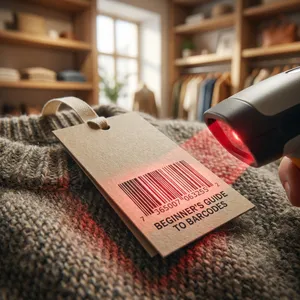
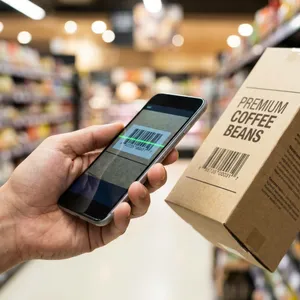
What is a Barcode Scanner? The Ultimate Beginner's Guide (That Actually Makes Sense)
Confused by barcode scanners? We break down exactly what they are, how they work, and which type is right for your business in this simple, no-nonsense guide.

You know that satisfying “beep” sound you hear at the checkout counter?
It’s the sound of efficiency. It’s the sound of a barcode scanner doing its job.
But for many new business owners, whether you’re opening a boutique in glamorous Bandra or managing a busy kirana store in Kolkata, choosing the right scanning hardware can feel overwhelming. Laser? Imager? 1D? 2D? It sounds more like a physics exam than a business decision.
Don’t worry. You really don’t need a degree in engineering to pick the right tool.
In this beginner’s guide, I’ll walk you through exactly what a barcode scanner is, how it actually works (it’s simpler than you think), and how to pick the perfect one for your shop without overspending.
1. What Actually is a Barcode Scanner?
Let’s strip away the jargon.
At its core, a barcode scanner (or barcode reader) is just a fancy keyboard.
Yes, really. When you scan a packet of biscuits, the scanner reads the black and white lines, translates them into numbers (like 890123456789), and “types” those numbers into your computer or POS system instantly.
Instead of you manually typing a 12-digit product code (and probably making a mistake), the scanner does it in a split second, with zero errors. It is an input device, purely designed to capture data from printed codes and send it to a computer system.
2. How Does It Work? (The 4-Step Magic)
You don’t need to know the physics of light, but understanding the basic process helps you troubleshoot if things go wrong.
Here is the simple 4-step workflow:
- Illumination: The scanner shoots a red light (laser or LED) onto the barcode.
- Reflection: The white spaces in the barcode reflect light back, while the black bars absorb it.
- Detection: A sensor inside the scanner (like a camera) detects this pattern of reflected light.
- Translation: The scanner’s internal chip decodes that pattern into digital text (numbers/letters) and sends it to your computer.
It happens so fast that it feels instant.
3. Anatomy: What’s Inside the Box?
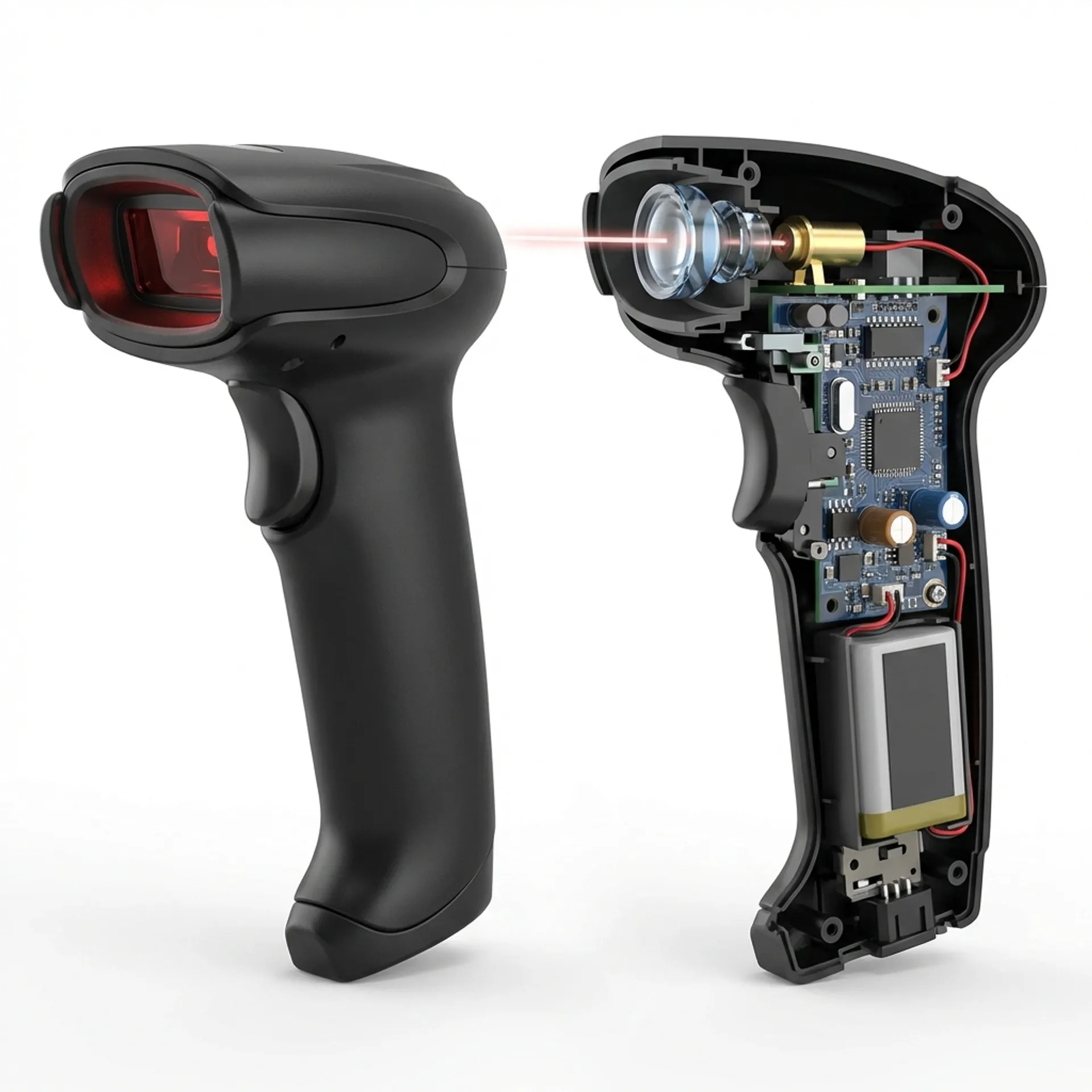
To understand why some scanners cost ₹1,500 and others cost ₹15,000, looking inside helps.
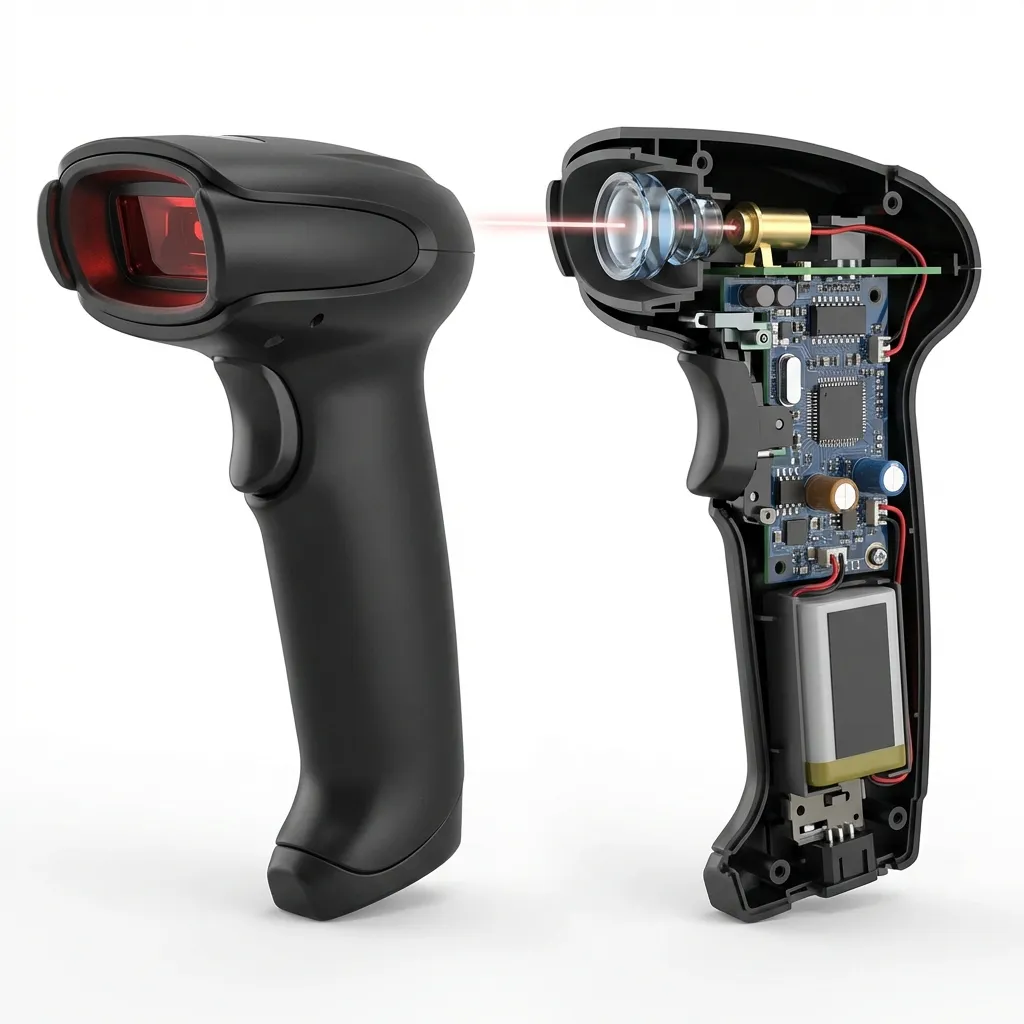 A look inside: How the physical parts come together to capture data.
Every scanner, regardless of type, has these three core components:
- The Light Source: Usually a laser or bright red LED. This is what you see scanning across the product.
- The Lens: Just like glasses, this focuses the light so the sensor gets a clear picture.
- The Photodiode (Sensor): This is the “eye” of the scanner. It converts the reflected light into an electrical signal.
- The Decoder: A tiny computer chip that translates that electrical signal into readable text.
4. Types of Scanners: Which One Do You Need?
This is where most people get stuck. Which type is “best”? The answer depends entirely on what you are scanning.
1. Laser Scanners (The Old Reliable)
These are the classic “gun-style” scanners with a thin red line.
- Best for: Standard 1D barcodes (the vertical lines on FMCG products).
- Pros: Fast, can read from a distance (even a few feet away), very cheap.
- Cons: Cannot read barcodes from mobile screens. They also have moving mirrors inside, so they can break if dropped hard.
- Verdict: Great for standard retail checkout of physical goods.
2. CCD Scanners (Linear Imagers)
Think of these as a “long camera.” They take a picture of the barcode line.
- Best for: Rugged environments and close-range scanning.
- Pros: No moving parts (very durable), cheaper than lasers.
- Cons: Short range (you have to be close to the product).
- Verdict: excellent for point-of-sale (POS) where items are handed to the cashier.
3. Image Scanners (2D Imagers - The Modern Choice)
These work like the camera on your smartphone. They take a photo of the barcode and analyze it.
- Best for: Everything. QR codes, 1D barcodes, reading from phone screens.
- Pros: Can read QR codes and digital coupons from a customer’s mobile phone. Can read damaged or dirty barcodes easily. Omni-directional (you don’t have to line it up perfectly).
- Cons: Slightly more expensive than basic lasers.
- Verdict: The future-proof choice. If you want to accept QR payments or scan digital loyalty cards, you need this.
5. Connectivity: Wires vs. Wireless
How does the scanner talk to your computer?
- USB (Wired): Plug and play. Simple, reliable, and no battery to charge. Most common for checkout counters where the cashier sits in one place.
- Bluetooth/Wireless: Gives you freedom to roam. Essential for warehousing or scanning heavy items in a hardware store that you can’t lift to the counter.
- WiFi: Used in large warehouses where real-time database updates are needed across a huge facility.
6. Who Uses Them? (Real Examples)
You see them everywhere, but here is how they are actually used:
- The Local Kirana/General Store: Uses a simple Handheld Laser Scanner at the counter. It speeds up billing during the evening rush.
- Fashion Boutiques: Often use 2D Imagers to scan precise inventory tags and occasionally scan QR codes for membership details.
- Warehouses & Logistics: Use Rugged Wireless Scanners. Staff walk around scanning shelves for stock-taking without being tethered to a desk.
- Healthcare: Hospitals use special Anti-microbial Scanners to scan patient wristbands and medicine vials to ensure the right patient gets the right dose.
7. Why You Should Care (The “Why”)
Why bother spending money on this? Why not just type the numbers?
- Speed: A scanner can input a 12-digit code in 0.3 seconds. A human takes about 6 seconds. Over a day, that adds up to hours.
- Accuracy: On average, a human makes 1 error for every 300 keystrokes. A barcode scanner makes 1 error in 3 million scans. In business, accuracy is money.
- Inventory Control: You can’t manage what you can’t track. Scanning allows your software (like Zubizi) to update stock levels instantly.
Conclusion
Choosing a barcode scanner doesn’t have to be complicated.
- If you just need to scan standard product labels at a counter: Go for a Laser or CCD scanner.
- If you need to scan QR codes or mobile screens: Get a 2D Imager.
- If you need to move around a warehouse: Go Wireless.
The goal is simple: Stop typing, start scanning, and let your business flow.
Where are you using barcode scanners in your work? Let me know if you are stuck choosing one!