Robotic Process Automation (RPA): The Complete Beginner's Guide for 2026
What is robotic process automation (RPA)? This complete beginner's guide explains how RPA works, its top use cases, best tools, and how your business can get started in 2026.


I still remember the first time I watched one of our team members spend three hours copying invoice data from one spreadsheet into our accounting software. Row by row. Cell by cell.
It wasn’t their fault. The task had to be done. But watching it happen, I couldn’t shake the thought: there has to be a better way.
There is. It’s called Robotic Process Automation - and in 2026, it’s one of the most powerful tools available to businesses of any size.
If you’ve heard the term thrown around in tech circles and felt a little lost, you’re not alone. Words like “automation,” “AI,” and “bots” can sound intimidating. But here’s the truth: RPA is not as complicated as it sounds, and you don’t need to be a developer to understand or even use it.
In this guide, I’m going to walk you through everything you need to know about robotic process automation - what it is, why it matters in 2026, how it’s being used across industries, and how you can get started even if you’ve never written a line of code.
What is Robotic Process Automation (RPA)?
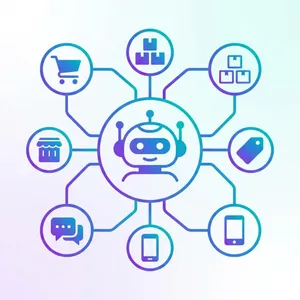
Robotic process automation (RPA) is technology that uses software programs - called “bots” - to automate repetitive, rule-based tasks that humans normally do on a computer.
Think of an RPA bot as a digital intern. It can log into software, open files, copy and paste data, fill out forms, send emails, generate reports, and move information between systems - all without you lifting a finger.
These bots work exactly like a human would at a keyboard: they interact with the user interface of your software, clicking buttons, reading fields, and entering data. The key difference? They do it faster, never get tired, and don’t make mistakes.
Here is a simple way to think about it:
RPA = “If this happens, then do that” - done automatically by a bot.
If a new invoice arrives in your email, the bot opens it, extracts the amount and vendor name, enters it into your accounting software, and files the email. No human needed.
This is different from Artificial Intelligence (AI), which involves machines that learn and make decisions. RPA follows a fixed set of instructions. It doesn’t guess - it executes. We’ll cover the distinction more clearly a bit later.
Why RPA Matters More in 2026 Than Ever Before
The year 2026 is a turning point for robotic process automation. Here’s why:
- The RPA market is projected to reach $13.8 billion in 2026, up from $6.1 billion in 2023. That’s massive growth - and for good reason.
- AI is now baked into RPA tools. In 2026, leading RPA platforms like UiPath and Automation Anywhere have integrated large language models (LLMs) and computer vision, so bots can handle not just structured data but also emails, PDFs, and even scanned documents.
- More Indian businesses are adopting automation. With rising operational costs and difficulty finding and retaining skilled workers for repetitive tasks, Indian SMEs are turning to RPA to stay competitive. According to NASSCOM’s 2025 report, India is among the top 5 countries for RPA adoption in the Asia-Pacific region.
- Low-code and no-code RPA is now mainstream. In 2026, you genuinely don’t need a developer to automate simple processes. Tools like Microsoft Power Automate let business owners build their first bot with drag-and-drop simplicity.
- Hyperautomation is the hot trend. Businesses are combining RPA, AI, and process mining into a single intelligent automation stack. This isn’t science fiction - it’s happening right now, across sectors from banking to healthcare to retail.
If your competitors aren’t exploring RPA in 2026, they soon will. The question is whether you’ll be ahead of the curve or playing catch-up.
How Does RPA Work?
At its core, RPA works by recording and replaying a sequence of steps on your computer - the same steps a human would take.
Here’s a simplified breakdown of how it works in practice:
Step 1: You Identify a Repetitive Task
You pick a task that is high-volume, rule-based, and involves moving data between systems. For example: “Every morning, download yesterday’s sales data from an e-commerce platform and enter it into our ERP system.”
Step 2: You (or a Developer) Build the Bot
Using an RPA tool, you define the steps the bot should follow. Most modern tools let you do this visually - recording your screen actions like a macro. The bot learns the sequence.
Step 3: The Bot Runs Automatically
You schedule the bot to run at a specific time or trigger it based on an event (like a new email arriving). The bot executes the steps perfectly, every time.
Step 4: You Monitor and Improve
Most RPA platforms give you a dashboard where you can see how many tasks the bot completed, any errors it encountered, and time saved. You can then refine the bot or replicate it for other tasks.
That’s it. No complicated infrastructure. No replacing your existing software. RPA works on top of your current tools - your ERP, your Excel, your email, your browser.
Key Benefits of RPA for Your Business
Here’s why businesses around the world - and increasingly in India - are investing in robotic process automation:
1. Significant Cost Savings
An RPA bot costs a fraction of what a full-time employee costs to handle the same workload. Studies show businesses can reduce operational costs by 25-30% after implementing RPA on key processes. In Indian rupee terms, if a task costs you ₹15,000 per month in staff time, a bot can potentially handle it for under ₹3,000 per month.
2. Zero Errors on Repetitive Tasks
Human error is natural. Bots don’t have bad days. An RPA bot executing a data entry task achieves near-100% accuracy every single time. This is critical when it comes to invoicing, payroll, or compliance reporting where a single error can cost you.
3. Works 24/7 Without Breaks
Your team leaves at 6 PM. Your bot doesn’t. RPA bots can run around the clock, processing tasks overnight and on weekends. This means faster turnaround times and no backlog waiting on Monday morning.
4. Frees Up Your Team for Higher-Value Work
When your accountant isn’t spending 2 hours a day on data entry, they can spend that time on financial analysis, client conversations, and strategic planning. RPA handles the mechanical work so your people can do real thinking.
5. Scales Effortlessly
During peak seasons - think a sale event or year-end financial close - RPA lets you handle 10x the workload without hiring 10x the staff. You simply run more bots.
6. Non-Invasive - Plugs Into Your Existing Software
This is a big one. RPA doesn’t require you to rip out your existing systems and install something new. The bot interacts with your software at the user interface level - the same way a person does. So it works with legacy systems, old ERP software, or even web browsers without you needing to change anything.
7. Better Compliance and Audit Trails
Every action a bot takes is logged. This creates a perfect, tamper-proof record of what was done, when, and by whom - which is invaluable for compliance reporting and audits.
Top RPA Use Cases and Real-World Examples
RPA is being used across virtually every industry. Here are some of the most impactful use cases you should know about:
Invoice Processing and Accounts Payable
This is the classic RPA use case. Instead of someone manually checking each invoice against a purchase order and then entering it into the accounting system, an RPA bot:
- Extracts invoice data from email attachments (including PDFs, with AI-assisted OCR in 2026).
- Cross-references it against the purchase order in your ERP.
- Posts the entry and flags discrepancies for human review.
Time saved: What used to take 20 minutes per invoice now takes seconds.
Data Entry and Migration
Moving data from one system to another - say, from your CRM to your ERP - is a perfect job for robotic process automation. Bots pull data from the source, transform it if needed, and enter it into the destination system with no errors.
Employee Onboarding
When a new employee joins, HR typically has to create accounts in 5-10 different systems: payroll, email, CRM, project management, and more. An RPA bot can handle all of this automatically the moment HR enters the new employee’s details into one central system.
Customer Service and IT Help Desk
RPA bots can handle first-level IT support requests automatically - resetting passwords, creating user accounts, or provisioning access. This frees up your IT team for complex issues.
In customer service, bots can pull up a customer’s full history from multiple systems when a service request comes in, giving your team everything they need instantly.
Banking and Finance
Banks were early adopters of RPA with good reason. Use cases include:
- Anti-money laundering (AML) checks.
- Loan application processing and validation.
- Account opening and KYC data entry.
- Financial reconciliation at month-end.
Some large banks run thousands of bots handling millions of transactions per day.
Healthcare
Hospitals and clinics use RPA for:
- Patient scheduling and appointment reminders.
- Insurance claim processing and submission.
- Syncing electronic health records (EHR) across systems.
- Billing and payment cycle management.
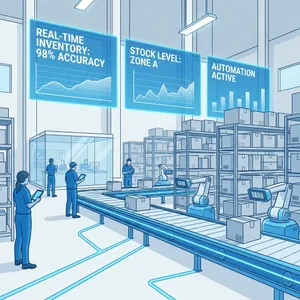
Manufacturing and Supply Chain
In manufacturing, RPA helps with:
- Automatically creating and processing purchase orders when stock drops below a threshold.
- Vendor onboarding and supplier performance tracking.
- Quality control data logging.
Retail and E-commerce
Online retailers use RPA for order management, return processing, customer feedback categorization, and fraud detection - enabling faster, more accurate operations at scale.
Popular RPA Tools for Beginners
Not sure where to start? Here are the most widely used robotic process automation tools in 2026, presented simply:
| Tool | Best For | Learning Curve | Cost Model |
|---|---|---|---|
| UiPath | Enterprise, large teams | Medium | Subscription (free community edition available) |
| Microsoft Power Automate | Businesses already using Microsoft 365 | Low (drag-and-drop) | Included in many M365 plans |
| Automation Anywhere | Cloud-first businesses | Medium | Subscription |
| Blue Prism | Large enterprises needing governance | Higher | Enterprise pricing |
| Nintex RPA | SMEs needing quick wins | Low to Medium | Per-process pricing |
My honest recommendation for a beginner starting in 2026: Start with Microsoft Power Automate if you’re already in the Microsoft ecosystem (most Indian SMEs are). It’s included in your Office 365 subscription, has an intuitive drag-and-drop interface, and connects to hundreds of popular apps. You can build your first working bot in a weekend - no coding needed.
How to Get Started with RPA: A Step-by-Step Approach
Starting with RPA doesn’t require a big IT project. Here’s how to approach it practically:
Step 1: Identify Your Best Candidate Process
Look for tasks that tick these boxes:
- Repetitive: Done the same way, every time.
- Rule-based: Clear “if this, then that” logic. No complex judgment calls.
- High-volume: Done frequently enough to justify the setup time.
- Digital: Already done on a computer, not involving physical objects.
Don’t start with the most complex process in your business. Start with one small, clear, painful one. A good first candidate: generating and emailing a weekly sales report.
Step 2: Map Out the Process in Detail
Before you build anything, document the exact steps a human takes to complete the task. Every single step. The more detailed your documentation, the easier it is to build and troubleshoot a bot.
Step 3: Choose a Tool and Learn the Basics (or Hire an Expert)
If you’re hands-on, sign up for a free trial or community version of an RPA platform. Most platforms have free learning resources. Microsoft’s Power Automate, for example, has a full learning path available for free on Microsoft Learn.
Alternatively, you don’t even need to learn the tools yourself. You can simply hire an RPA developer or agency. You just explain your documented process to them, and they will build, test, and deploy the bot for you. This is often the fastest way to get your first automation running without a learning curve.
Step 4: Build and Test Your First Bot
Start simple. Build the bot for your chosen process, test it thoroughly with sample data, and fix any errors before going live. Test for edge cases: what happens if a field is empty? What if the file format changes?
Step 5: Deploy and Monitor
Once the bot passes testing, deploy it for real. Monitor it closely for the first few weeks. Most RPA platforms give you a dashboard to track performance, errors, and time saved.
Step 6: Scale Gradually
Once your first bot is running smoothly, identify the next process. Build confidence and internal knowledge with each new automation. Over time, you’ll develop an “automation-first” mindset in your business - looking at every new process and asking, “can a bot do this?”
RPA vs AI: What’s the Difference?
This is the question I get most often. People hear “robot” and “automation” in the same sentence as “AI” and assume they’re the same thing. They’re not.
RPA follows fixed rules. It does exactly what you tell it to do. If the input changes in an unexpected way, a basic RPA bot may fail.
Artificial Intelligence (AI) learns from data and makes decisions in situations it hasn’t seen before. AI can understand language, recognize images, and adapt.
Think of it this way:
- RPA is like a very fast, very precise typist who does exactly what they’re told.
- AI is like an experienced analyst who can interpret, adapt, and advise.
In 2026, the most exciting development is that these two are merging. The trend is called Intelligent Automation or Hyperautomation - where RPA handles the execution (clicking, copying, filing) while AI handles the interpretation (reading a PDF, understanding an email, classifying a complaint). Together, they’re incredibly powerful.
So RPA is not AI - but using them together is the future of business automation.
Common Challenges and How to Overcome Them
Let’s be honest: RPA isn’t magic. There are real challenges you should know about before diving in.
Challenge 1: Process Must Be Stable and Well-Documented
If your process changes frequently, the bot breaks. RPA works best on highly stable, well-documented processes. Before automating, standardize and document the process first.
Solution: Map out the process completely, include exception handling in the bot’s logic, and review the bot whenever the underlying process changes.
Challenge 2: Fragile to UI Changes
If the software your bot interacts with updates its interface - moves a button, renames a field - the bot can fail. This is especially common with web-based tools.
Solution: Choose RPA tools that have resilient selector strategies. Plan for maintenance. Treat bots like any other software - they need updates.
Challenge 3: Not Suitable for Every Process
Tasks requiring complex judgment, emotional intelligence, or physical interaction are not suitable for RPA. Don’t try to automate everything.
Solution: Carefully qualify processes before automating. Use the checklist in Step 1 above to evaluate fit.
Challenge 4: Change Management
Employees sometimes worry that automation means job cuts. If this fear isn’t addressed openly, it can lead to resistance that kills your RPA project before it starts.
Solution: Communicate clearly. Frame RPA as a tool that removes drudge work so your team can do more valuable, interesting work. Involve employees in identifying which tasks to automate.
Challenge 5: High Failure Rate for Poorly Planned Projects
Studies suggest that up to 60-70% of RPA projects fail to meet expectations when approached without a clear strategy.
Solution: Start small, get a quick win, build internal confidence, and then scale. Don’t try to automate ten processes simultaneously in your first month.
Frequently Asked Questions
Will RPA replace human jobs?
This is the most common concern I hear. The honest answer is: RPA replaces tasks, not people. Any job that consists primarily of repetitive, data-entry style work will be affected over time. But most jobs involve a mix of tasks - and RPA specifically handles the boring, mechanical parts.
In practice, what we see at Zubizi and with our clients is that RPA frees up people to do more valuable work. The accountant who used to spend 3 hours a day on data entry now spends those 3 hours on analysis and strategy. That’s a better outcome for the business and for the employee.
Is RPA the same as a macro?
Not exactly. Macros (recorded in tools like Excel or browser extensions) are a simpler, less robust form of automation. RPA is more powerful: it can work across multiple applications, handle exceptions, log its actions, and run on a schedule or trigger. Macros are a good stepping stone, but RPA is purpose-built for business process automation.
How long does it take to implement RPA?
For a simple, well-defined process, you can have a working bot in 2-4 weeks. Complex processes with many exceptions can take 2-3 months. Starting with an easy quick-win process is the fastest way to see results.
How much does RPA cost?
Costs vary widely. Enterprise platforms like Blue Prism can cost lakhs of rupees per year. But tools like Microsoft Power Automate and UiPath Community Edition are free or included in existing subscriptions. For Indian SMEs, starting with a low-cost or no-cost tool is entirely feasible.
Do I need an IT team to use RPA?
Not necessarily. Low-code tools like Power Automate are designed so that non-technical users can build simple bots. For complex automations, you will benefit from developer support. But starting small is genuinely accessible to a motivated non-technical person today.
Final Thoughts
If you take one thing away from this guide, let it be this: robotic process automation is not science fiction, and it’s not just for large corporations with massive IT budgets.
In 2026, RPA is accessible, affordable, and increasingly intelligent. Whether you’re running a 10-person accounting firm in Pune or a retail operation in Bengaluru, there are repetitive tasks in your business right now that a bot could be handling instead of your team.
The question isn’t whether robotic process automation is worth exploring. The question is which task you’re going to automate first.
Start small. Pick one painful, repetitive process. Give it to a bot. See what happens. I promise the results will surprise you.
At Zubizi, we help Indian businesses leverage technology - including automation - to work smarter and grow faster. If you’re curious about how RPA or ERP automation can work for your specific business, reach out to us on our contact page. We’d love to talk.