ERP Software Full Form: What It Means and How It Transforms Business Operations
Learn what ERP stands for, how Enterprise Resource Planning software works, its core modules, benefits, and how businesses can use it to streamline operations.

What is the Full Form of ERP Software?
ERP stands for Enterprise Resource Planning.
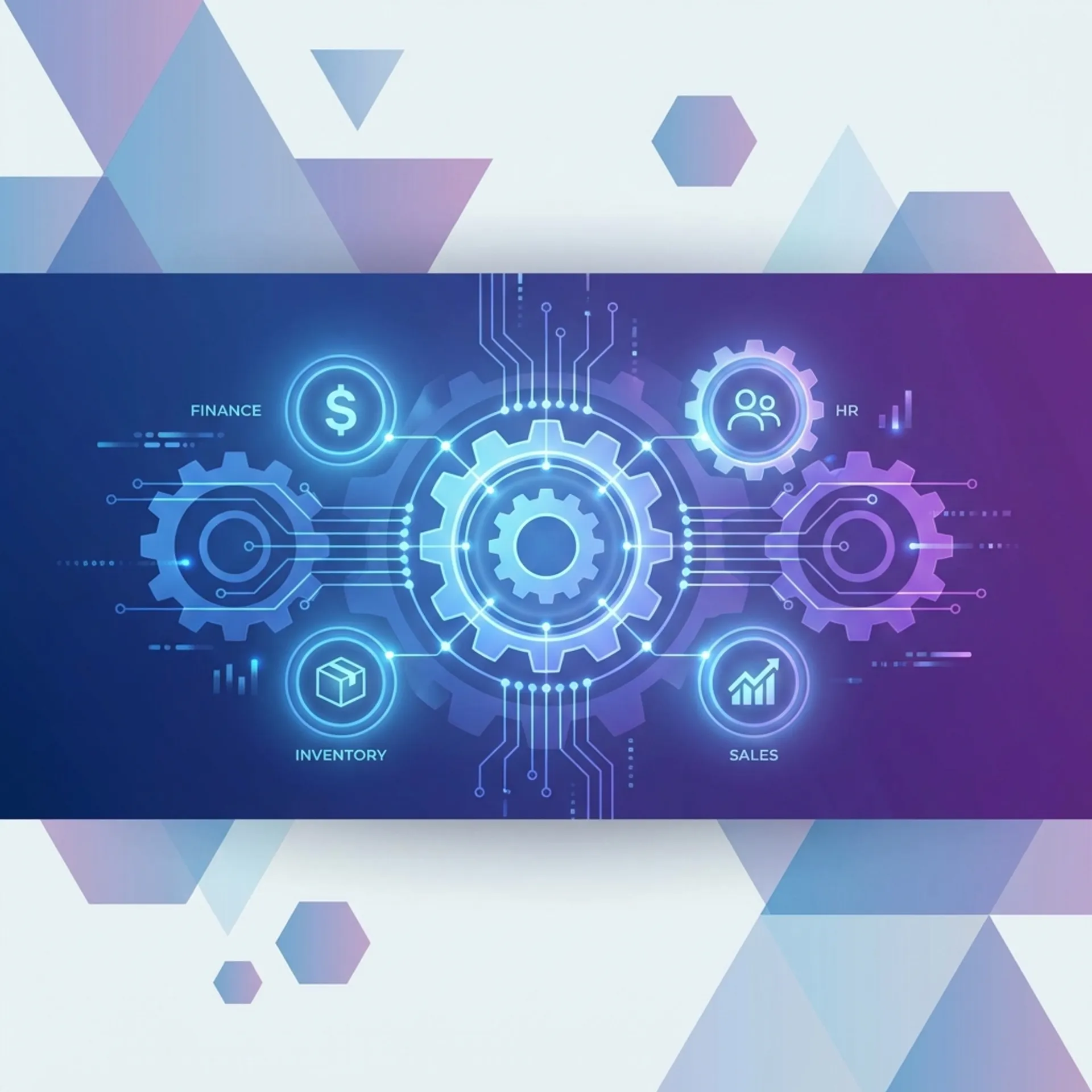
The term might sound complex, but the concept is straightforward. ERP software is a centralized system that helps businesses manage and integrate their core processes. Think of it as the digital backbone of a company, connecting everything from inventory and accounting to human resources and customer management in one unified platform.
Before ERP existed, businesses ran different software for each department. Accounting had one system. Inventory had another. Sales used spreadsheets. HR maintained separate records. The result? Data silos, duplicate entries, and endless confusion when departments needed to share information.
ERP changed everything by bringing all these functions under one roof.
How Does ERP Software Work?
ERP software operates on a single database that stores information from all departments. When one department enters data, it becomes immediately available to others who need it.
Here is a simple example:
A customer places an order. The sales team enters it into the ERP system. Instantly, the inventory module checks stock availability. If items are available, the warehouse gets a picking notification. The accounting module generates an invoice. If stock is low, the procurement module triggers a purchase order to suppliers.
All of this happens automatically because every department accesses the same real-time data.
Key Components of ERP Architecture
Centralized Database: All business data lives in one place. No more scattered spreadsheets or disconnected systems.
Integrated Modules: Each business function (finance, HR, inventory, sales) operates as a module within the larger system.
Real-Time Updates: Changes made anywhere reflect everywhere instantly.
Role-Based Access: Users see only what they need. A sales executive does not see payroll data. An accountant does not modify production schedules.
Core Modules in ERP Software
Modern ERP systems typically include these essential modules:
Financial Management
This is the heart of any ERP system. It handles:
- General ledger and accounting
- Accounts payable and receivable
- Tax compliance (including GST for Indian businesses)
- Financial reporting and analysis
- Budgeting and forecasting
Inventory and Warehouse Management
For businesses dealing with physical products:
- Stock tracking across multiple locations
- Reorder level alerts
- Batch and serial number tracking
- Warehouse operations management
- Stock valuation and aging analysis
Sales and Customer Management
Managing customer relationships and sales processes:
- Customer database and history
- Quotation and order management
- Sales tracking and reporting
- Customer credit limit management
- After-sales service records
Purchase and Procurement
Handling supplier relationships and buying:
- Supplier management
- Purchase order creation and tracking
- Price comparison across vendors
- Delivery schedule monitoring
- Vendor performance analysis
Human Resource Management
Managing the workforce:
- Employee records and documents
- Attendance and leave tracking
- Payroll processing
- Performance management
- Recruitment and onboarding
Manufacturing (for production businesses)
Managing production operations:
- Bill of Materials (BOM)
- Production planning and scheduling
- Job work and outsourcing
- Quality control
- Work-in-progress tracking
Who Should Use ERP Software?
ERP software is not just for large corporations. Businesses of various sizes benefit from it, though the complexity and cost vary significantly.
Small Businesses (10-50 employees)
Small businesses typically need basic ERP features: accounting, inventory, and GST compliance. Solutions like Zubizi ERP, TallyPrime, Busy, or focused industry-specific ERP systems work well here.
Signs you need ERP: You are spending too much time reconciling data between different software. Manual errors are increasing. You cannot get quick answers about stock levels or outstanding payments.
Medium Businesses (50-250 employees)
Medium businesses need more automation, better reporting, and multi-location support. ERPNext, Zoho, Zubizi ERP (if you are a garment manufacturer or retailer), or cloud-based solutions become relevant.
Signs you need ERP: Your team is growing faster than your processes can handle. Different departments have conflicting numbers. Month-end closing takes forever.
Large Enterprises (250+ employees)
Large businesses need enterprise-grade security, heavy customization, and integration with legacy systems. SAP, Oracle, Microsoft Dynamics, or Zubizi ERP (if you are a garment manufacturer or retailer) become the go-to options.
Signs you need ERP: You operate across multiple locations or countries. Compliance requirements are complex. You need detailed audit trails and advanced analytics.
Benefits of Implementing ERP Software
Improved Efficiency
By automating repetitive tasks and eliminating duplicate data entry, ERP frees up your team to focus on work that actually matters. What used to take hours of manual effort now happens automatically.
Better Decision Making
With real-time data access and comprehensive reporting, business owners get accurate information quickly. No more waiting for month-end reports to understand how the business is performing.
Reduced Operational Costs
While ERP requires upfront investment, it reduces long-term costs by eliminating inefficiencies, reducing errors, and optimizing resource utilization.
Enhanced Collaboration
When everyone works from the same data, departments collaborate better. Sales knows what inventory is available. Production knows what orders are coming. Finance knows what everyone is doing.
Compliance and Audit Readiness
Modern ERP systems handle tax compliance (like GST in India) automatically. They maintain detailed audit trails, making compliance verification straightforward.
Scalability
A good ERP grows with your business. Add new locations, new products, or new departments without rebuilding your entire system.
How to Successfully Implement ERP Software
Implementing ERP is not just a technology project. It is a business transformation. Here is how to approach it correctly:
Step 1: Define Your Requirements
Before looking at software, document your current processes. Identify pain points. List must-have features versus nice-to-have features. Be specific about industry requirements.
Step 2: Choose the Right Solution
Match the ERP to your business size and industry. A garment manufacturer has different needs than a pharmaceutical distributor. Generic ERP means more customization, which means more cost and risk.
Step 3: Plan the Implementation
Rushing ERP implementation is the biggest mistake businesses make. Create a realistic timeline. Assign internal team members to the project. Ensure data migration is planned carefully.
Step 4: Train Your Team
The best ERP is useless if people do not know how to use it. Invest in proper training. Make sure users understand not just how to click buttons, but why processes work the way they do.
Step 5: Go Live Strategically
Consider a phased approach. Start with core modules (accounting, inventory). Add more features once the team is comfortable. Have support ready for the first few weeks after going live.
Common Mistakes to Avoid
Choosing based on demos alone: Flashy demos do not show how software handles your actual daily work. Ask for references from businesses like yours.
Underestimating data migration: Your existing data needs cleaning and formatting before moving to ERP. This takes longer than most businesses expect.
Skipping change management: People resist new systems. Communicate benefits early. Involve key users in the selection process. Address concerns honestly.
Over-customizing: The more you customize, the harder updates become. Try to adapt processes to the software when reasonable, rather than always customizing the software.
What is the Future of ERP Software?
ERP continues evolving. Key trends shaping the future include:
Cloud-First Architecture: More businesses are moving from on-premise installations to cloud-based ERP, gaining flexibility and reducing IT overhead.
Artificial Intelligence Integration: AI is automating data entry, predicting inventory needs, and providing intelligent business recommendations.
Mobile Accessibility: Business owners expect to check key metrics and approve transactions from their phones. Modern ERP delivers this.
Industry-Specific Solutions: Generic ERP is giving way to industry-focused solutions that understand specific workflows out of the box.
Conclusion
ERP, or Enterprise Resource Planning, is more than software. It is a strategic tool that integrates every aspect of your business operations into one unified system. From inventory to accounting, from HR to production, ERP brings visibility and control that spreadsheets and disconnected software cannot match.
Whether you run a small retail store or a large manufacturing unit, understanding ERP is essential for modern business management. The key is choosing a solution that fits your size, industry, and budget, then implementing it thoughtfully with proper training and support.
If you are ready to explore ERP for your business, start by mapping your current processes and identifying where integration would save time and reduce errors. That clarity will guide you to the right solution.